电脑染上这个可恶的病毒很长时间了,一直懒得弄。主要是除了每次插U盘都会在U盘下生成隐藏的RECYCLER文件夹和autorun.inf之外,好像并没有危害过我别的东西。可每次拿我的U盘去别人电脑那里总被告知有毒,这实在不是一件光彩的事儿,于是下决心干掉它!
Google了一下,试了好几种办法都没有效果(有的方法还很麻烦),下了n个u盘杀毒程序也不都管用。最后在德国杀毒软件小红伞的官方论坛找到了解决办法(小红伞其实根本就对这个病毒毫无反应-_-!!!)。
废话少说,你先看看你中的毒是不是和我一样,一样的话按这个办法去解决,保证简单有效。
病毒描述:
1. U盘根目录下生成了一个antorun.inf,还有一个文件夹RECYCLER,病毒被放在I:RECYCLERS-5-3-42-2819952290-8240758988-879315005-3665jwgkvsq.vmx
2. autorun.inf和RECYCLER都可以手动删除,但重新拔插U盘,发现又有了 autorun.inf 和 RECYCLER 文件夹
解决办法:
1. 点击这里下载Symantec为这病毒研发的专杀工具,FixDownadup.exe;
2. 断掉网络,关闭全部程序;关闭系统还原;
3. 执行刚才下载的FixDownadup.exe;
4. 重启电脑;再执行FixDownadup.exe 以确保病毒完全清除;
5. 开启系统还原;链接网络;点击这里,寻找并安装微软系统安全补丁(KB958644)
大功告成!有任何问题欢迎在此页留言。
P. S.下面是原始的帖子的内容,懂英文的朋友可以自己看一下:
You have just to follow these instructions.
1. Download the FixDownadup.exe file from here
2. Save the file to a convenient location, such as your Windows desktop.
NOTE : If you are on a network or if you have a full-time connection to the Internet, disconnect the computer to the network or to the Internet connection.
3. Close all the running programs.
4. Turn off System Restore (this feature is not available in Windows 2000):
NOTE : Disabling System Restore will remove all your restore points. You can enable System Restore again after this procedure and create a new restore point.
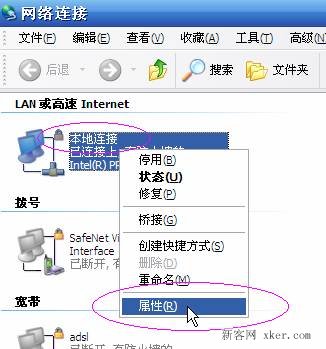
- on Windows XP: right-click on My computer -> choose Properties -> go to System restore tab and check Turn off System restore…
- on Windows Vista: right-click on My computer and select Properties -> click on System protection then on the System protection tab -> uncheck all drives under Available disks -> press Turn system restore off when dialog appears
5. Locate the file that you just downloaded.
6. Double-click the FixDownadup.exe file to start the removal tool.
7. Click Start to begin the process, and then allow the tool to run.
NOTE: If you have any problems when you run the tool, or it does nor appear to remove the threat, restart the computer in Safe mode and run the tool again.
8. Restart the computer.
9. Run the removal tool again to ensure that the system is clean.
10. Reenable System Restore.
11. Install patch for the Microsoft Windows Server Service RPC Handling Remote Code Execution Vulnerability by choosing your operating system.
12. Ensure that user accounts have strong passwords that are not in the list used by the worm.
13. If you are on a network or if you have a full-time connection to the Internet, reconnect the computer to the network or to the Internet connection.